Skip to content

What I wish I had known when I was starting out as a developer

As I get older, I wish I could reach back and give myself advice. Some of it is life advice (take that leap, kiss that girl, take that trip) but a lot of it is career advice.

There’s so much about being a software developer that you learn along the way. This includes technical knowledge like how to tune a database query and how to use a text editor. It also includes non technical knowledge, what some people term “soft skills”. I tend to think they are actually pretty hard, to be honest. Things like:

  • How to help your manager help you
  • Why writing code isn’t always the best solution
  • Mistakes and how to handle them
  • How to view other parts of the business

These skills took me a long time to learn (and I am still learning them to this day) but have had a material impact on my happiness as a developer.

I am so passionate about this topic that I’ve written over 150 blog posts. Where are these? They’re over at another site I’ve been updating for a few years.

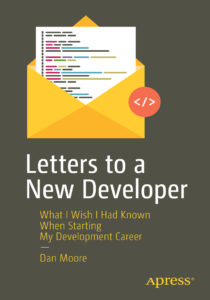
And then I went and wrote a book. I learned a bunch of lessons during that process, including the fact that it’s an intense effort. I wrote it with three audiences in mind:

  • The new developer, with less than five years of experience. This book will help them level up.
  • The person considering software development. This book will give them a glimpse of what being a software developer is like.
  • The mentor. This book will serve as a discussion guide for many interesting aspects of development with a mentee.

The book arrives in August. I hope you’ll check it out.

Full details, including ordering information, over at the Letters To A New Developer website.
MVP = embarrassing

This is a re-post of an article I wrote in 2019 for the Gocode Colorado blog which is no longer available. Thank you Wayback Machine!

“So, we need this feature to work, and it has to tie into this API, and we should put it all on the blockchain.”

“What about feature X? And we need admin screens, and roles and groups for different kinds of users.”

“You’re right! Let’s add those to the list. We need to make something we’re proud of.”

I heard some version of this conversation over and over again at my last Go Code Colorado mentoring session. And I sympathize with the sentiment, I really do.

But instead of hitting it out of the park the goal should be to create a piece of software that achieves the bare minimum, or a minimum viable product (MVP). With a high-risk venture team members should aim to show features to the end user as soon as possible, and to let their interactions guide the future of development.

It’s far too easy to get distracted by all the possibilities and build features that won’t be used. Even worse, developers may compare their application to other applications they use and find it wanting. The level of polish an MVP needs is far lower than a production application like Gmail, but because you use production ready apps every day, their UX and polish can feel like a requirement. Building features or adding UX polish can delay shipping an MVP. You want to wait until you are “ready”.

You are never “ready”, my friend.

If you’re not embarrassed by the first version of your product, you’ve launched too late.

– Reid Hoffman, LinkedIn Founder

Keep your focus not on the software but on the user.  Spend time talking to your target market and putting either mockups or working code in front of them as frequently as you can. Finding these people is another blog post entirely, but hopefully, you have some idea who they are and where they hang out.

It can be scary to put what you’ve built in front of people. It’s often much easier to sit back and build new features than it is to ship. I have felt it myself–as a startup co-founder, I built a web app that I was, frankly, embarrassed to show potential customers. It was missing features I considered crucial, was full of holes and bugs, and didn’t have a consistent user interface.

But showing it to potential customers early and often was the best choice. They pointed out missing features and also explained what was unnecessary. We got great feedback and I was better able to understand the types of problems the customer faced.

There are many ways you can show potential users what you are planning to build or are building without having a fully finished product.

  • You can show them mockups, either a paper draft, a series of powerpoint screens or a clickable prototype (Adobe XD or Balsam IQ are solutions). This is the cheapest way to get feedback because changing a screen in powerpoint is far easier than changing a screen in code.
  • Enroll potential customers in a beta program. Customers are more forgiving if they know this isn’t the final product, and they’ll give you suggestions. Don’t take each suggestion as truth, but do try to find out what problem the suggestion is aiming to solve–that’s gold. Offer people in your beta program a discount when you start charging–that gives them the incentive to give good feedback and can seed your customer base.
  • Build out mock features. Instead of building a full file upload facility, I have added a screen to an app with a link to “email us to add a file”, and fulfilled it manually. If enough people mailed a file, we’d know we needed to build the feature.
  • Have someone walk through the application in a video chat (using GoToMeeting or Zoom). Similar to a beta, people are more forgiving when they are shown something and you will be able to see where issues arise (“how do I do task A?”). This experience can be humbling and frustrating at the same time, like watching this.

When building an MVP, use tools you know. Whenever I’m working on a project, I balance technical risk and business risk. If you’re building a true MVP, the business risk is very high, because you don’t know if the market actually exists. Therefore, minimize the technical risk by building with what you know.

But wait, aren’t customers expecting a polished application?

Some may. Early adopters who are looking to have a problem solved often can look past the rough edges and see the potential. It also depends on the domain and the competition. For instance, if you are starting an Instagram competitor aimed at consumers, the quality bar will be pretty high. If you are building a scheduling tool for tattoo parlors and your main competition is a spreadsheet, a web application built with any modern framework will likely wow your potential customers. It’s also important to show your customers that the application is continuing to improve–that will make them more forgiving of the inevitable issues.

You’d be surprised by how forgiving people can be, especially if you are building something to help them do their job better. Remember, if you aren’t a little bit embarrassed when you show someone your application, you should have shown it to them sooner.

Additional resources:

What New Developers Need to Know About Working with AI

It’s been a few years since I wrote Letters to a New Developer, about what I wish I’d known when I was starting out. The industry has changed with the advent and acceleration of generative AI and the implications of these tools on coding and software creation.

So I wanted to write a quick update to give advice to developers who are entering this world with AI.

It’s important to understand what developers actually do.

They are not responsible for writing code. They are not responsible for liking technology.

Like other employees, developers are responsible for  taking their particular skill set and using it to solve problems that a business or organization needs solved. Whether that’s a one-person shop organizing their customers’ data or a large organization like Walmart, Amazon or the US military trying to improve their logistics, there are goals to achieve. For a developer building, maintaining and improving software is the main means to achieve those goals.

This does not change in the world of AI.

The role of a developer is still to understand technology, how it can be applied, where its limits are and to build it with the quality and appropriate flexibility for the business situation.

What do I mean by the last part? If you’re building a script to transfer data from one system to another one time, then a throwaway script that doesn’t have error checking, that doesn’t have proper variable names, that doesn’t have abstraction is appropriate. If, on the other hand, you’re creating foundational architectural components of a long-lived system, you need to think about all the things that make software more maintainable.

In either case as a developer your role is clear. It’s not to code the software. It’s to take the business requirements, understand the domain and build a solution that meets the business’s requirements for a given level of flexibility, complexity and completeness.

That job doesn’t change whether you’re using:

  •  machine code assembly
  • a non-memory managed language like C
  • a memory managed language like Java or
  • spec-driven development.

As a dev, your job is to understand the technical trade-offs, use the right tools and meet the business or organization’s needs.

Now as a new developer, how do you learn to leverage genAI in a way that is going to help your career rather than hurt it? It’s tough out there to get your job as a new dev and ignoring AI is going to make it even tougher.

It’s important that you learn how to use this tool and use it well. But AI as a tool is much more like Google search results than it is like a compiler error. A compiler error is deterministic and will give you the same message each time you compile the code.

The output of an LLM is not deterministic, just as when you search for guidance for building software on Stack Overflow or your team. With these sources of knowledge, you as a developer need to learn judgment. You need to learn when to trust genAI and when not to trust it.

Do this by starting small, asking for links, and checking the output of an AI against other sources. These include other AIs and published documentation. You’re building your sense of judgment and intuition about the system you are improving. Use it to augment your understanding, not replace it.

When an AI hallucinates, don’t throw the baby out with the bathwater and never touch genAI again. Instead learn to sniff out when an AI is generating garbage and when it is generating helpful code that will accelerate things.

A good course of action is to use AI to generate easily verifiable code where errors are low impact. An example is writing tests with AI, especially unit tests, especially in a statically typed language. It’s very easy to tell if the tests that are written are working or not. Don’t forget to instruct the AI to fully flesh out the tests, you don’t want any “return true” nonsense.

Another example is read-only queries. If you have an understanding of the data you can verify whether or not the SQL the LLM creates gives you the correct answer. Write multiple queries because they are so low effort, and use them to double check answers. If you were looking for a count of a particular set of customers, ask it for multiple different ways, including a count of one particular kind of customer and a count of all customers grouped by type. This lets you see if things match up.

The goal is not trusting blindly but instead using the tool to accelerate delivery of solutions to the problems the business wants you to solve. But you want to do so in a way that is going to give you confidence that the solutions you deliver are real.

By the way, the value of such intuition and judgement is high for all developers.

I think that it’s even more valuable for newer developers.

If you would like to purchase my book, “Letters To a New Developer” for more of this kind of insight, there’s a sale going on right now through the end of the year. You can use this link to buy my book for just $24. (This is a better deal than I get with my author’s discount.)


Thankful For Memory Managed Languages

I’m thankful my software career started when memory managed languages were first available and then dominant. Or at least dominant in the areas of software that I work in–web application development.

I learned BASIC, WordPerfect macros, and Logo before I went off to college. But my first real programming experience was with Pascal in a class taught by Mr. Underwood (who passed away in 2021). I learned for loops, print debugging and how to compile programs. Pascal supports pointers but I don’t recall doing any pointer manipulations–it was a 101 class after all. I took one more CS class where we were taught C++ but I dropped it.

But my real software education came in the WCTS; I was a student computer lab proctor. Between that and some summer internships, I learned Perl, web development and how to deal with cranky customers (aka students) when the printer didn’t work.

I also learned how to install Linux (Slackware, off of something like 16 3.5-inch disks) on a used computer with a 40MB hard drive, how to buy hardware off eBay, and not to run while (true) fork in a C program. That last one: not good.

I was also able to learn enough Java through a summer internship that I did an honors thesis in my senior year of college. I used Java RMI to build a parallelizable computation system. It did a heck of a job of calculating cosines.

My first job out of school was slinging perl, then Java, for web applications at a consultancy in Boulder. I learned a ton there, including how to grind (one week I billed 96 hours), why you shouldn’t use stored procedures for a web app, how to decompile a Java application with jad to work around a bug, and how to work on a team.

One throughline for all that was getting the work done as fast as possible. That meant using languages and frameworks that optimized for developer productivity rather than pure performance. Which meant using memory managed languages. Which are, as Joel Spolsky wrote, similar to an automatic transmission in terms of letting you just go.

I have only the faintest glimmer of the pain of writing software using a language that requires memory management. Sure, it pops up from time to time, usually when I am trying to figure out a compile error when building an Apache module or Ruby gem. I google for an incantation, blindly set environment variables or modify the makefile, and hope it compiles. But I don’t have to truly understand malloc or free.

I’m so thankful that I learned to program when I didn’t have to focus on the complexities of memory management.

It’s hard enough to manage the data model, understand language idiosyncrasies, make sure you account for edge cases, understand the domain and the requirements, and deliver a maintainable solution without having to worry about core dumps and buffer overflows.

Say Goodbye

In this time of increasing layoffs, there’s one thing you should do as a survivor. Okay, there’s many things you should do, but one thing in particular.

Say goodbye.

When you hear someone you know is let go, send them a message. If you have their email address, send them an email from your personal account. If you don’t, connect on LinkedIn or another social network.

The day or two after they are gone, send them a message like this:

“Hi <firstname>, sorry to hear you and <company> parted ways. I appreciated your efforts and wish you the best!”

Of course, tune that to how you interacted with them. If you only saw them briefly but they were always positive, something like this:

“Hi <firstname>, sorry to hear you and <company> parted ways. I appreciated your positive attitude. I wish you the best!”

Or, if you only knew them through one project, something like this:

“Hi <firstname>, sorry to hear you and <company> parted ways. It was great to work on <project> with you. I wish you the best!”

You should do this for a number of reasons.

It is a kind gesture to someone you know who is going through a really hard time. (I wrote more about that.) Being laid off is typically extremely difficult. When it happens, you are cut off from a major source of identity, companionship, and financial stability all at once. Extending a kindness to someone you know who is in that spot is just a good thing to do. It reaffirms both your and their humanity.

It also doesn’t take much time; it has a high impact to effort ratio.

There may be benefits down the road, such as them remembering you kindly and helping you out in the future. The industry is small–I’m now working with multiple people who I’ve worked with at different companies in the past.

But the main reason to do this is to be a good human being.

Now, the list of don’ts:

  • Don’t offer to help if you can’t or won’t. I only offer to help if I know the person well and feel like the resources and connections I have might help them.
  • Don’t trash your employer, nor respond if they do. If they start that, say “I’m sorry, I can imagine why you’d feel that way, but I can’t continue this conversation.”. Note I’ve never had someone do this.
  • Don’t feel like you have continue the conversation if they respond. You can if you want, but don’t feel obligated.
  • Don’t state you are going to keep in touch, unless you plan to.
  • Don’t say things that might cause you trouble like “wish we could have kept you” or “you were such a great performer, I don’t know why they laid you off”. You don’t know the full details and you don’t want to expose yourself or your company to any legal issues.
  • Finally, don’t do this if you are the manager who laid them off. There’s too much emotional baggage there. You were their manager and you couldn’t keep them on. They almost certainly don’t want to hear from you.

Be a good human being. When someone gets laid off, say goodbye.

Career Leverage as a Developer

I was recently on the “I’m a Software Engineer, What’s Next?” podcast. You can view the whole podcast episode and you can subscribe and learn more about the podcast as well. (You can see all my podcast appearances.)

We covered a lot of interesting ground, but one thing we talked about was undifferentiated but scary problems. When you find one of these in the business world, that makes for a good software company. FusionAuth is one example of this. There, we focus on authentication. Authentication is undifferentiated because:

  • most online apps need it
  • it’s not a competitive advantage for most applications
  • there are well known standards (OIDC, SAML, OAuth)

Authentication is scary and risky because:

  • it impacts conversion and user experience
  • the risk of user data being exposed impacts reputation and bottom line
  • there’s jargon
  • there’s security risk

Of course the deeper you get into any area, the less scary it seems, but for the average developer, I think authentication is imposing. There are other undifferentiated but scary areas of software development, including:

  • security
  • performance
  • legacy code upkeep
  • real time systems
  • distributed systems

But one insight that came out of the discussion is that this applies to your career as well. If you focus on undifferentiated scary problems, then you have a lucrative career ahead of you, because the problem is important to solve (because it is scary) and transfers between companies (because it is undifferentiated). If you focus on differentiated problems, such as a scary area of the code base that is unique to the project, you’ll be tied to a particular company. If you focus on safe problems, you can switch between companies but you’re unlikely to make a lot of money, because the problems you are working on won’t be that important.

For new developers, I wouldn’t recommend immediate specialization into a scary, undifferentiated problem. There’s an explore-versus-exploit continuum in careers, and early on, exploration is crucial. You have to find what you are interested in. But at some point, choosing an undifferentiated scary problem and solving it in a relatively unique way gives you significant career leverage. And leverage makes you valuable in the workplace.

It also helps you avoid being a cog. Every employer wants fungible employees, but every employee should resist being fungible. Don’t be “Java Engineer 2” or “React Developer with 3 years experience.” Be someone people want to work with. The goal is for people to say, “I want to work with [your name],” not “I want to work with any React developer.”

By tackling problems that are both scary (high-impact) and undifferentiated (universally applicable), you build expertise that travels with you while positioning yourself as someone who can handle what others avoid.

The Benefits Of A Support Ticket To Documentation Lifecycle

I think that support tickets are an unsung fantastic source material for technical documentation. Every devrel should read support tickets and the answers, even if they don’t respond to them.

This post applies to any kind of support request:

  • support tickets filed in a tool like Zendesk or Intercom
  • bugs/feature requests filed wherever you accept them
  • questions frequently reported by sales engineers
  • community support channels like Slack or Discord

But I’ll use the shorthand ‘support tickets’ to apply to all ways your users ask for your help.

Reading these help you understand how your users are working with your software. They illustrate sharp edges and places where folks run into issues and don’t understand how to get past them.

Here’s how I turn support tickets into documentation.

  • Read all the support tickets. I get an email for each one.
  • If it is a generic issue, I forward it to myself in a week. This gives the support team time to dig in and answer it.
  • In a week, if the answer is not present, I re-forward it. If the answer is present, I paste the link into a slack channel.
  • Someone (used to be me, now it is another team member) reads the slack channel and refines the support ticket into a clear, generic, question and answer.
  • The question and answer get posted to our forum.
  • If there are clarifying changes to documentation, they get made or put into a queue.
  • If the question and answers come up repeatedly, I look into making a standalone technical doc. And then tell the support team and sales team

Why post the q&a to a forum rather than immediately turn it into a doc?

I like forums for many reasons, but in this case, a post to a forum is, crucially, timestamped. Technical documentation should be accurate forever (that is the goal).

A forum post, because it has that timestamp, doesn’t have to be. It has to be true for that moment in time.

Sharing that knowledge is valuable but imposes far less future costs on the organization. You do impose costs on the end user, however. They have to evaluate the accuracy and applicability of the forum post based on timestamp, number of views and other comments on it. At least it is not an unanswered question.

I believe the tradeoff is worth it because it lets many more users benefit from the research and knowledge of the support team at extremely low organizational cost. It also helps LLMs (who love the q&a format) and improves your long-tail traffic from search engines, helping your SEO.

Reading support tickets not only helps you build content, it also makes you aware of where users are confused. This is super helpful for devrels looking to make high-impact example apps, videos and other documentation. If 10 folks don’t understand how to use feature X and cared enough to write in, you should probably document feature X in some way. Following around product experts like your support team and converting what they have written to generic posts is a great way to teach you important details about commonly used features and issues of your product that you might otherwise have never known.

What this process is not is quick. You can’t create content for non-existent support tickets. And it won’t create a solid documentation user experience if used in isolation. Make sure you handle common important use cases and add these ad-hoc docs into the appropriate place in a larger documentation architecture.

It also may be harder to implement this lifecycle in a larger organization. I only have experience with it in smaller orgs.

When you do create standalone documentation for common issues, your support team will thank you. In my experience they’ll reference it going forward, and other users will also find it using Google, your site search, or an LLM.

So you decrease the support burden at the same time as you increase discoverability. Yahoo!

The Value of Hitting The HN Front Page

I’ve been a member of Hacker News (HN) since 2012. You can see my profile here. (Thanks to Jeff Beard for introducing me to it so many years ago.)

I currently hover around the upper 30s on the top 100 leader list. I’ve talked about that community with the good folks at RedMonk. After submitting thousands of stories, including over 400 with more than 100 points, here are outcomes I expect from a high ranking HN post.

Traffic

The first is the traffic. It’s not uncommon to get thousands of visits from an HN post that hangs out on the front page. Make sure you have a CDN at the ready. It is, however, unlikely to convert.

Whether you want people to buy, download, or even sign up for a newsletter, HN traffic isn’t much help. It’s low conversion, brand awareness traffic.

That may be what you need–just standing out among the crowd is tough these days. But don’t think you’ll trend on HN and get a ton of sign ups.

Comments

The second valuable result is the comments. DO NOT SLEEP on these.

You have the attention of a large number of smart people who don’t know you, but are taking the time to share their thoughts. They are giving you precious feedback. Do not ignore it, explain it away, or get hurt by it.

Instead, try to understand why they are commenting the way they are. Engage and ask questions that show you have thought about their comment. The best time to do this is right after they make a comment, but even a day later you’ll get some replies.

You don’t have to slavishly make changes based on comments–I’m not even sure that is possible, given that they will conflict. But you should consider them the same way that you would if someone sent you an email.

Follow-on Traffic

After having a post trend on HN, I’ve seen follow-on smaller bumps in traffic in the weeks after. This comes from someone discovering your post on HN and sharing it. This could be from a newsletter, a FaceBook group, a follow-on blog post, or via another social network. I don’t know if this traffic converts better, but it again adds to the brand awareness of your company or product.

If you can figure out where these came from, either via referrer headers or a Google alert (if the referring site is public) it is also great to reach out to these sources of traffic with other content or advertising.

Since they self-selected and were interested in sharing your post initially, they will likely want to share other things you’ve written.

Gratitude

If you shared a post from someone else, which you should do for the vast majority of your HN posts (~90%), and it hits the front page, you may get a note of thanks. I’ve had both strangers and friends reach out with a quick ‘thank you’ when something I posted from them gets traction. This only works if you have contact info on your profile or they have some other way of getting in touch with you.

There are also results which you should not expect from a high ranking post.

Non-Outcomes

  • HN is not a marketing plan. While writing content for HN can be helpful if your target buyer or buyer influencer hangs out there, it won’t lead directly to conversions. It is a piece of the top of the funnel efforts you have, not the totality.
  • Broad market feedback. Not everyone is on HN. Not every developer is on HN. Not even every developer in SF is on HN. Plan accordingly.
  • Reliable traffic. HN is very fickle. I’ve had more than one story that I posted fizzle, while the same story posted by someone else one to three days later sails to the front page.


Why Public Slack Chats are Better than Direct Messages

This is a repost of a blog post I wrote about six years and two jobs ago about Slack communication. You can see the original here; this is reposted with permission.

Do you even Slack, dude?

We use Slack, and use it extensively. As a remote team, it’s a crucial part of our workflow. I’ve noticed that I sometimes use direct messages when I should be asking a question in a public channel. Upon examination, direct messages have the following attributes:

  • Less intrusive. I sometimes worry about an excessive amount of chatter bothering other team members.
  • Protect my ego. When I ask a question it is admitting that I don’t know the answer. As a “director of engineering” it can be humbling to admit ignorance. But of course I don’t know everything! It’s just my ego talking. However, it still stings a bit sometimes to ask publicly–it’s easier to just side chat.

However, the benefits of posting in a public channel are many. A message in a public channel is:

  • Viewable. This means that others can chime in (as opposed to just the person I DMed). And that others can learn in the present as they read my question and the answers.
  • Linkable. This means that if I want to reference the conversation (in a PR, trello card or elsewhere), I can. Of course, I should extract info into documentation (future me will thank past me) but for context around a decision, a link to a slack chat can be very helpful.
  • Searchable. This means that others in the future who are searching for this information can find it. Yes, slack’s search leaves something to be desired, but if the conversation is private, that’s a guarantee that no one else will be able to search and find it.
  • Vulnerable. I want everyone to feel comfortable asking questions. That leads to better outcomes for clients and for team members. How can I expect that behavior of others if I don’t do it myself?

So my rule of thumb going forward is if I can imagine someone else asking this question, I’ll take it to a channel. If I’m answering a question, I’m going to apply the same test.

To address my worry about intrusiveness, I’ve started to use threads (which I kinda hate, but kinda love). I of course will continue to use DMs or DM groups for private information. However, if a group convo might be more useful if it is viewable, linkable or searchable, I’m going to create a channel–those are free, and easy to archive.


Text Manipulation with LLMs

A few years ago I wrote this post encouraging new developers to learn jq, awk and sed.

I still think it is worthwhile to do so, because these tools are everywhere and make processing text and structured text easy.

However, I think there’s a new text manipulation tool in town that you should experiment with too. That’s an LLM.

Today, I wanted to take the latest posts from the hacker news ‘whoishiring’ user posts and get a ratio. I wanted to find the ratio of ‘who is hiring’ comments to the number of ‘who wants to be hired’. I thought this would be a proxy for the health of the job market, at least the job market of companies who post on HN.

I could have solved this with text manipulation tools, maybe some google sheets manipulation, but instead I pasted the results into ChatGPT and asked it to extract out the comments and show me the ratio.

It took about 30 seconds. Amazing.

I’ve also used it for fiddly jq commands. Instead of peering through the jq manual and trying to figure out how to capture the first value of an array and to later extract a certain key, I just describe what I want and the LLM gives it to me.

Tips for doing text manipulation:

  • use a new window every time
  • iterate on your prompt
  • give examples of current and future state

Why do I think folks should still learn those other tools and not rely just on LLMs? Because the base tools are far more reliable, cheaper, and scriptable. For me, LLMs shine in text manipulation when the problem is small and adhoc, especially when the text is not well structured or completely unstructured. But if I’m writing a script to extract data from log files repeatedly, I think using the LLM to help write the script is a bigger win and better in the long term than to use the LLM to actually do the extraction.

Either way it is a powerful tool, so next time you want to do some text manipulation, try your LLM.

Why Are Interviews Harder Than The Job?

I’ve seen a lot of startups try to make hiring easier over the years, but they all seem to converge on becoming slightly better applicant tracking systems.

Then, a few months ago, I saw this LinkedIn post.

Here’s the post in case you don’t want to log in to see it.

It’s similar in tone to this meme.

I’m currently leading an interview process at my current job. Whenever I do this, I remember how grueling and painful hiring is. And that is as a hiring manager–I know it is even tougher as a candidate in this job market. After all I am getting paid and many candidates are unemployed. I’ve been in the latter situation and the situation is often quite urgent.

But today, I wanted to dig into why interviews for software related jobs are often harder than the job itself. This is a common gripe, where the interview digs into all kinds of technical aspects that are not really needed in the day to day job, or is much tougher than the day to day work.

The reason for this is interview time is limited. Interviewers want to get as much information as they can about the candidate.

(Interviewees should do this too. Even in this market, finding out what you can about the company where you’ll be working is a good idea.)

An interview is like running 100m and a job is like a 10k. If someone wants to see who is better at running across, but only has a certain amount of time, they are going to have everyone run 100 meters, and not a 10k. Even if the real goal is to find the best 10k runner. Hence the Leetcode tests.

This is, of course, not great. But it is the least bad option.

Some alternatives include:

  • contract to hire: This is great if the candidate has flexibility and risk tolerance (health care not tied to a job, willing to risk moving to another job in N months if the contract doesn’t lead to a hire). Many great possible hires will pass at contract to hire, though it does work for some people.
  • homework for interviews: Asking a candidate to solve some problem which lets a candidate work in a slightly less high stakes environment. but requires candidates to do extra work, taking longer than just the interview. This also takes longer to evaluate as a hiring manager. And ff you are doing this, make sure you ask candidates to explain their solution, which helps mitigate AI assisted or copy paste solutions.
  • pair programming: During the hiring process, work on an actual work related project. Companies that have OSS projects can use those, otherwise use something similar to what a new hire would be working on. Viable, but can be hard to pick up enough signal about non-technical skills. Also high-pressure for the candidate–I remember trying to use IntelliJ for the first time at an interview to write some Java code.
  • leverage your network: Hire people you’ve worked with in the past. Time-tested, works well, but limits opportunities for those without experience or a network. Also means as a company you’re going to be more homogeneous, which can limit you (see this 1996 HBR article).
  • historical interview: Beloved by the authors of “Who”, with this method you ask a series of questions about the candidate’s history, gleaning insight into their history. If they have done something similar to what you are looking for in the past, they’ll be able to do it in the future. I did this for the current hiring process so the jury is out for me, but am hopeful.

Hiring is hard because both parties have limited data and are trying to present in the best way, yet success is multi-dimensional and may not be visible for months. No easy answers.